
Publer is an all-in-one social media scheduler that helps you plan, schedule, and publish content across 13 platforms.
Pricing
Type
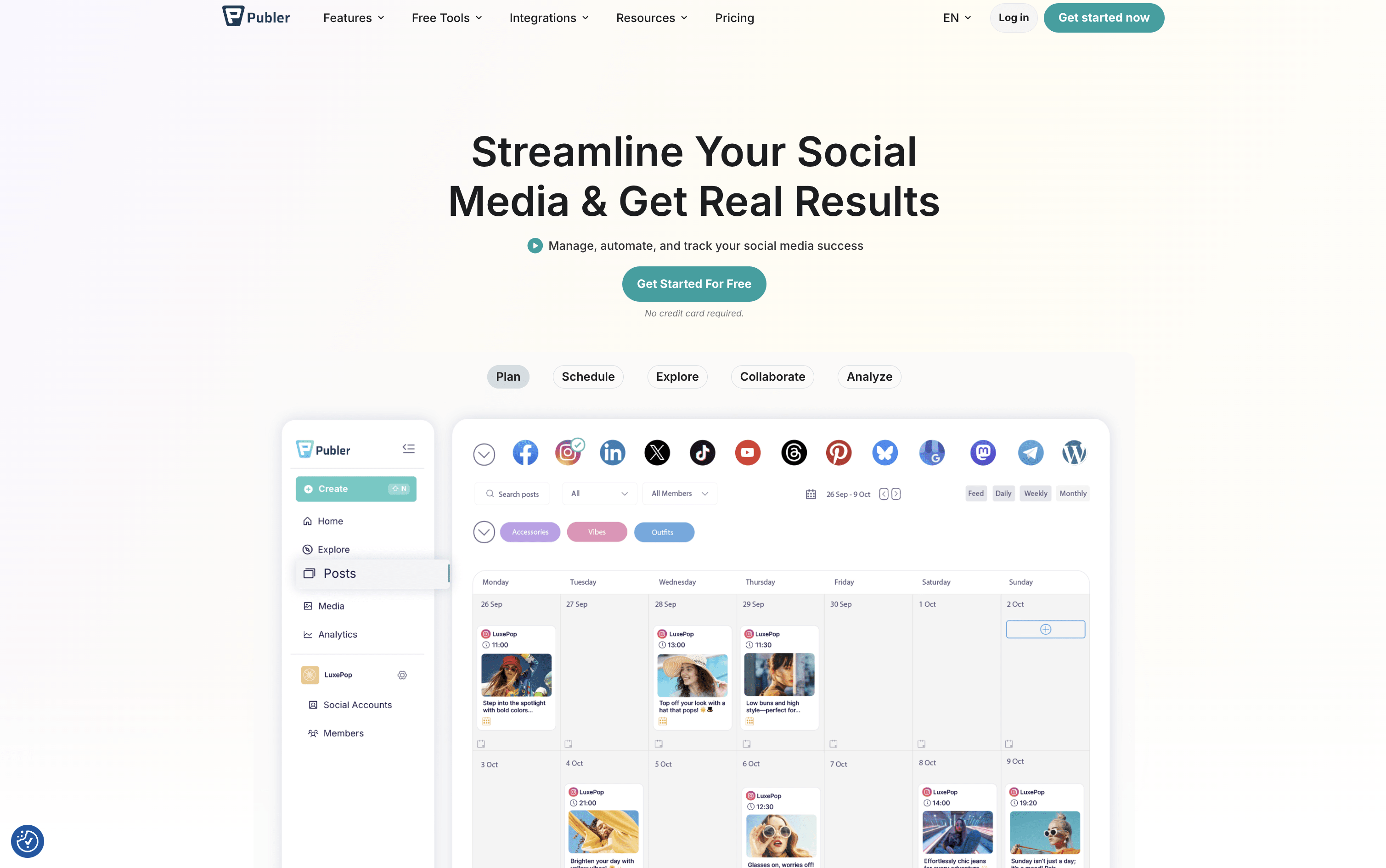
What Is Publer?
Publer is a complete social media scheduling and management tool that brings all your social accounts together in one place. You can create posts, add images or videos, write captions, and set them to go live at the right time across 13 supported platforms, including Instagram, Facebook, TikTok, LinkedIn, YouTube, Pinterest, Twitter/X, Threads, Bluesky, Mastodon, Telegram, Google Business Profile, and WordPress.
Beyond scheduling, Publer includes a built-in AI assistant that helps you write better captions, suggest hashtags, and even create images. It offers a visual calendar, bulk scheduling for up to 500 posts at once, content recycling to automatically reuse top posts, and a full analytics dashboard. Teams and agencies can collaborate using shared workspaces, role-based access, and approval workflows.
How to Use Publer?
Using Publer is simple and beginner-friendly. Here are the basic steps to get started:
Create a free account and connect your social media profiles. Publer supports 13 platforms including Instagram, TikTok, LinkedIn, Facebook, YouTube, and more.
Set up a workspace for your brand or client, then invite team members and assign roles based on what each person should access.
Use the Ideas board to plan content before creating posts. Organize ideas by stage, add notes, and convert them directly into scheduled posts.
Open the post composer, write your caption, upload media, and use the AI Assistant to improve the text, add hashtags, or generate content ideas.
Choose how to publish: set a manual date and time, use auto-schedule to fill best time slots, or bulk upload up to 500 posts at once.
After publishing, check the analytics to see what content worked and adjust your strategy going forward.
Publer Features
Publer offers a wide range of tools to cover every part of your social media workflow. Here are the main features:
AI Assistant: Generates captions, hashtags, images, and strategy tips. Works in 80+ languages and is available on web and mobile.
Visual Calendar: See all scheduled posts in one view, click any slot to add content, and drag to rearrange posts easily.
Bulk Scheduling: Upload up to 500 posts at once using a CSV file or the multi-post editor.
Content Recycling: Automatically reuse top-performing posts on a set schedule to keep your content fresh without extra effort.
Analytics: Track reach, engagement, follower growth, and post performance. Includes competitor tracking and PDF/CSV exports.
Team Collaboration: Shared workspaces, approval workflows, role-based access, internal notes, and client preview mode.
Media Library: Store and edit images and videos. Connects with Canva, Google Drive, Dropbox, and Unsplash.
Automation: Set up RSS auto-posting, Zapier workflows, and a developer API for advanced integrations.
Where does Publer fit?
Publer Pricing Plans
How is Publer used?
Frequently Asked Questions About Publer
Best alternatives to Publer

Buffer
Freemium · Subscription
Buffer is a simple social media tool to schedule, publish, and grow your content across multiple platforms.

Metricool
Freemium · Subscription
Metricool is an all-in-one social media management tool for scheduling, analytics, reporting, inbox, and ad management.

Postiz
Freemium · Subscription
Postiz is an open-source, AI-powered social media scheduling platform that lets you plan, create, and publish content across 30+ platforms.

Hootsuite
Paid · Subscription
Hootsuite is an all-in-one social media management platform for scheduling, publishing, monitoring, and analytics across multiple networks.

Sprout Social
Paid · Subscription
Sprout Social is an AI-powered social media management platform for scheduling, engagement, analytics, and team collaboration.

Later
Paid · Subscription
Later is a visual social media scheduling tool for planning, publishing, and growing your presence across platforms.

Agorapulse
Paid · Subscription
Agorapulse is an all-in-one social media management platform for scheduling, engagement, listening, and tracking social ROI.

Sendible
Paid · Subscription
Sendible is a social media management platform for agencies and teams to schedule, collaborate, and report across multiple networks.