
Planable is a visual social media management tool that helps teams create, approve, and publish content together.
Pricing
Type
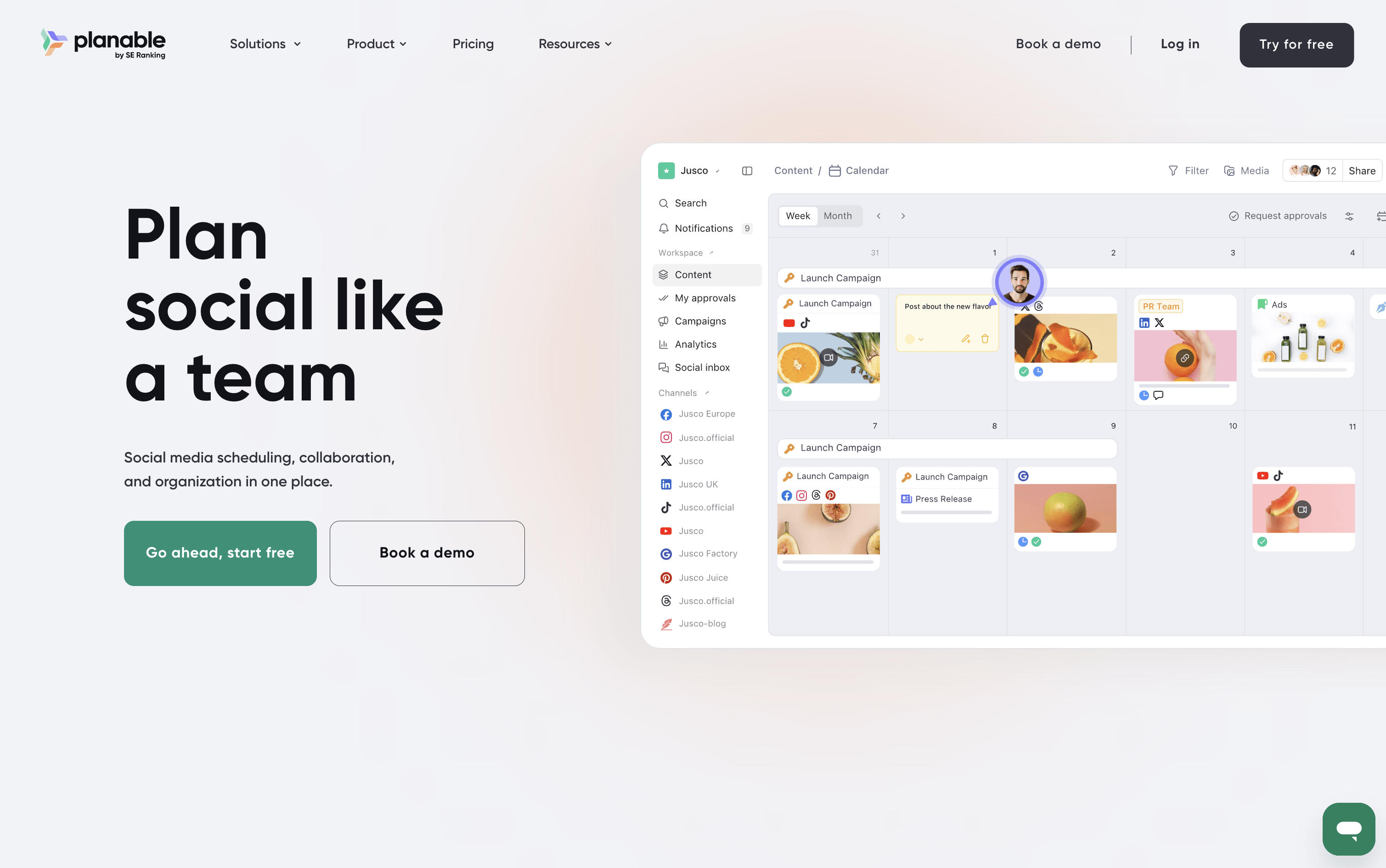
What Is Planable?
Planable is a social media management tool that handles the full content workflow in one place. You can create posts, plan them visually on a calendar, collect feedback from teammates and clients, send posts through approval steps, and publish to nine platforms: Instagram, Facebook, X, LinkedIn, TikTok, Pinterest, YouTube, Threads, and Google Business Profile.
It also includes a unified inbox for managing comments and messages, an analytics section to track how posts perform, and custom reports for sharing results with clients. A Universal Content feature lets you manage other materials like blogs and newsletters using the same review process.
Planable is best suited for teams and agencies where approvals and collaboration are central to the work.
How to Use Planable?
Here are the steps to get started with Planable:
Sign up for a free trial. The first 50 posts are free and no credit card is needed.
Create a workspace for each brand or client you are managing. Each workspace keeps content separate and organized.
Connect your social media accounts in the workspace settings.
Invite your team members and clients. Set roles and permissions to control what each person can see or do.
Set up your approval steps so posts go through the right people before going live.
Create posts in the composer. Add captions, images, or videos, and use the AI tools to help write or improve your text.
Plan your content in the Calendar or Grid view using drag and drop.
Send posts for review. Team members can comment, suggest edits, and approve with one click.
Approved posts can be scheduled to publish automatically or you can do it manually.
Check the Analytics section to see how your posts are performing and create reports for clients.
Planable Features
Here are the main features of Planable:
Visual Content Calendar: Plan and rearrange posts using drag-and-drop in Feed, Calendar, Grid, and List views. See exactly how posts will look before they are published.
Approval Workflows: Set up step-by-step approval processes for teams and clients. Posts move through each stage before they are allowed to go live.
AI Writing Tools: Generate or rewrite captions, get hashtag suggestions, and create AI-powered reply drafts — all based on your brand's style and tone set in Brand Context.
Unified Social Inbox: View and reply to comments and direct messages from multiple platforms in one place. Conversations are sorted by priority using sentiment detection.
Analytics and Reports: Track performance across platforms and build custom, branded reports for clients. Export as PDF or CSV on demand.
Multi-Workspace Management: Manage multiple brands or clients in separate, organized workspaces from one account with full team access control.
Universal Content: Plan and approve non-social content like blogs, newsletters, and campaign briefs using the same review and approval workflow.
Where does Planable fit?
Planable Pricing Plans
How is Planable used?
Frequently Asked Questions About Planable
Best alternatives to Planable

Buffer
Freemium · Subscription
Buffer is a simple social media tool to schedule, publish, and grow your content across multiple platforms.

Metricool
Freemium · Subscription
Metricool is an all-in-one social media management tool for scheduling, analytics, reporting, inbox, and ad management.

Postiz
Freemium · Subscription
Postiz is an open-source, AI-powered social media scheduling platform that lets you plan, create, and publish content across 30+ platforms.

Hootsuite
Paid · Subscription
Hootsuite is an all-in-one social media management platform for scheduling, publishing, monitoring, and analytics across multiple networks.

Sprout Social
Paid · Subscription
Sprout Social is an AI-powered social media management platform for scheduling, engagement, analytics, and team collaboration.

Publer
Freemium · Subscription
Publer is an all-in-one social media scheduler that helps you plan, schedule, and publish content across 13 platforms.

Later
Paid · Subscription
Later is a visual social media scheduling tool for planning, publishing, and growing your presence across platforms.

Agorapulse
Paid · Subscription
Agorapulse is an all-in-one social media management platform for scheduling, engagement, listening, and tracking social ROI.