
Statusbrew is an all-in-one social media management platform for teams and agencies to schedule, engage, and analyze across 20+ networks.
Pricing
Type
What Is Statusbrew?
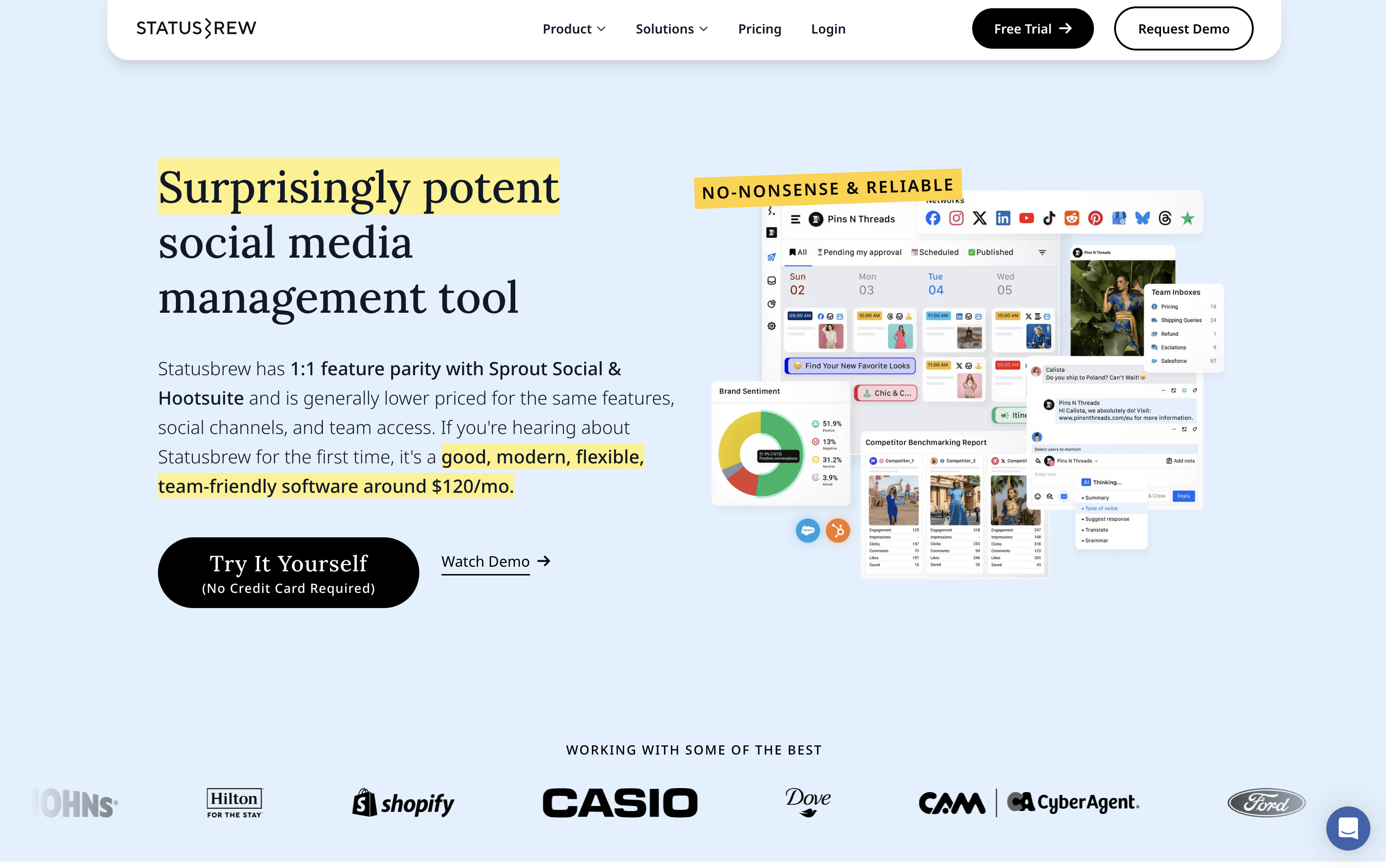
Statusbrew is a social media management tool that covers the complete process of managing your online presence, from scheduling posts to handling replies and measuring results. It connects to more than 20 platforms, including Facebook, Instagram, X, LinkedIn, TikTok, YouTube, Pinterest, Threads, Bluesky, Google Business Profile, Reddit, and WhatsApp Business.
Teams can plan content using a visual calendar, manage approval workflows with clients or teammates, and handle all comments, messages, and reviews from a single inbox. AI tools help write captions, analyze message tone, and suggest the best times to post. A 14-day free trial is available with no credit card required.
How to Use Statusbrew?
Getting started with Statusbrew is straightforward. No credit card is needed to begin the 14-day free trial. Here are the main steps:
Sign up and set your account details, including organization name, time zone, and team size. Free onboarding support is included.
Connect your social profiles by logging into each platform from the settings section. Admin-level access may be required.
Invite team members and set their access levels based on what each person needs to see or do.
Use the post composer to create content with live previews for each platform. You can customize text, media, and timing per network.
Organize your content using the visual calendar, set approval workflows for team or client review, and schedule posts in advance.
Manage all replies and messages from the unified inbox. Use automation rules to route messages faster, then review analytics to track performance.
Statusbrew Features
Here are the main features of Statusbrew:
Visual Content Calendar: Plan posts in list, weekly, monthly, or grid view. Move content through stages from idea to published.
Bulk Scheduling via CSV: Upload hundreds of posts at once, saving time for large campaigns and editorial calendars.
Unified Inbox: Comments, messages, mentions, and reviews from all platforms in one view, with 25+ filters including sentiment and keywords.
Rule Engine: Automatically hide spam, assign conversations, route complaints, or trigger notifications based on custom conditions you set.
AI Tools: Generate captions, suggest hashtags, summarize conversations, translate text, and auto-reply inside the inbox.
Custom Reports: Use 230+ metrics to build dashboards, compare competitors, and auto-send reports on a schedule.
Approval Workflows: Multi-step review for internal teams or external clients, who can approve via email with no login required.
BrewLink in Bio: Turn your Instagram bio link into a clickable content grid with a unique link for each post.
Where does Statusbrew fit?
Statusbrew Pricing Plans
How is Statusbrew used?
Frequently Asked Questions About Statusbrew
Best alternatives to Statusbrew

Buffer
Freemium · Subscription
Buffer is a simple social media tool to schedule, publish, and grow your content across multiple platforms.

Metricool
Freemium · Subscription
Metricool is an all-in-one social media management tool for scheduling, analytics, reporting, inbox, and ad management.

Postiz
Freemium · Subscription
Postiz is an open-source, AI-powered social media scheduling platform that lets you plan, create, and publish content across 30+ platforms.

Hootsuite
Paid · Subscription
Hootsuite is an all-in-one social media management platform for scheduling, publishing, monitoring, and analytics across multiple networks.

Sprout Social
Paid · Subscription
Sprout Social is an AI-powered social media management platform for scheduling, engagement, analytics, and team collaboration.

Publer
Freemium · Subscription
Publer is an all-in-one social media scheduler that helps you plan, schedule, and publish content across 13 platforms.

Later
Paid · Subscription
Later is a visual social media scheduling tool for planning, publishing, and growing your presence across platforms.

Agorapulse
Paid · Subscription
Agorapulse is an all-in-one social media management platform for scheduling, engagement, listening, and tracking social ROI.